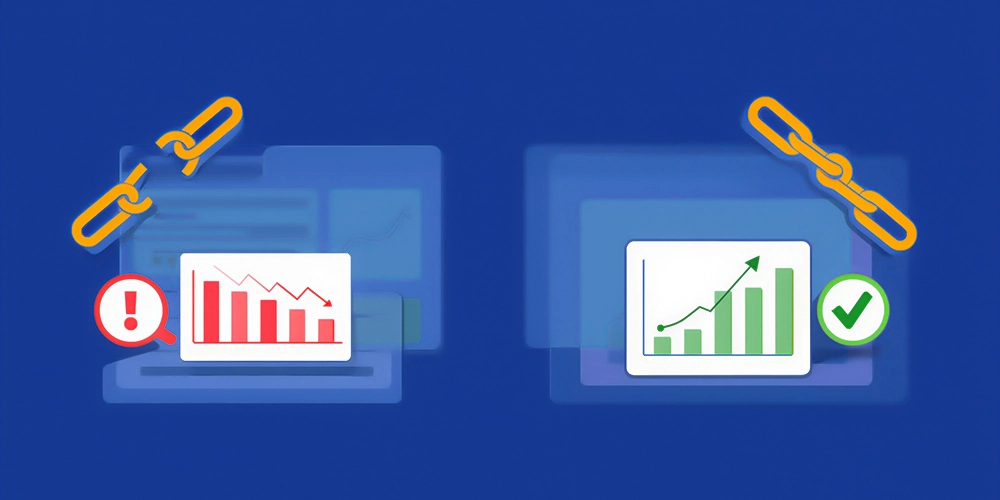
Imagine this: A visitor clicks a promising link on your site and lands on a 404 error page. Frustrating, right? They bounce. Your bounce rate spikes. Search engines notice. Your rankings drop. Broken links kill momentum. Yet, studies show 36% of websites have 4XX errors, and link rot claims 66% of old links. You can change that. How to fix broken links is simpler than you think. It boosts site health, improves user experience (UX), and sends strong signals to Googlebot. In this guide, you’ll learn exactly how to identify and fix broken links. We’ll cover tools, steps, and pro search engine optimization tips to keep your site structure clean. Let’s dive in.
What Are Broken Links? (Definition & Types)

A broken link points to a resource that no longer exists. You click it. Nothing loads, or you see a page not found message. These are also called dead links. They break the flow of your site structure and hurt crawler accessibility.
Common Types of Broken Links
- 404 error: The classic “not found” page.
- 410 errors (Gone): Permanent removal.
- Server errors (500, 502, 503): Temporary glitches.
- Redirect chains: Too many hops confuse search engine crawlers.
Internal vs External Broken Links
| Aspects | Internal Broken Links | External Broken Links |
| Definition | Inter-page links on your site to a page on your site that is no longer there. | Connection of your site to a page on another domain which is no longer there. |
| Control | Full control – you own both pages | No direct control – the other site decides |
| Main SEO Impact | Disrupts internal linking structure, wastes Googlebot crawl budget, and loses link equity between your pages | Signals poor website maintenance, hurts credibility, and shows outdated content |
| Link Equity | Blocks the flow of link equity (link juice) across your site | No direct loss of your link equity, but damages trust and user experience (UX) |
| Common Causes | Page removed, improper URL structure, changed anchor text without updating | The target site took down the page, the domains are no longer active, and the links will break over time |
| Fix Difficulty | Easy – update link, add 301 redirect, or remove | Harder – replace with new resource, remove, or use Wayback Machine |
| Priority | High priority – fix first for better crawl efficiency and rankings | Medium priority – fix to maintain credibility, but less direct ranking harm |
How Do Broken Links Impact SEO?

- Wastes crawl budget – Googlebot crawls dead ends rather than crawling actual pages.
- Blocks connect juice between your pages.
- The pages lose authority, and your domain becomes weak with time.
- Google search engine accumulates 404 errors.
- Users jump immediately, which is an indicator of bad UX at Google.
- Dead links that go out of your site portray your site as old and unreliable.
- Reduced ranks, reduced traffic, reduced conversions.
You can learn more about boosting SEO rankings here. Ready to act through expert Digital Marketing?
How to Check & Detect Broken Links on Your Website
Manual Check – The Reliable Approach
- Browse every link on your site.
- Ideal for small sites that have fewer pages.
- Takes a long time, but provides complete visibility.
Broken Link Checker Tools for Quick Scanning
| Tools | Free? | Best For |
| Google Search Console | Yes | Quick crawl error reports |
| Screaming Frog SEO Spider | Limited | Deep crawls on large sites |
| Ahrefs Site Audit | Limited | Full SEO audit + backlinks |
| SEMrush Site Audit | Trial | Complete site health scan |
| Dead Link Checker | Yes | Fast online scans |
| BrokenLinkCheck.com | Yes | No-install quick checks |
Platform-Specific Methods to Try
- Install the Broken Link Checker plugin on WordPress and run a scan.
- In Google Search Console, go to Crawl Errors and look for 404 reports.
- Shopify: Check the admin settings or use the SEO Manager tool.
NOTE: Do a comprehensive site audit today. We offer complete Web Solutions and CMS Web Development services.
How to Fix Broken Links on A Website (Step-by-Step Guide)

- Step 1: Identify all broken links by running a broken link checker.
- Step 2: Prioritize broken links or Inbound links by Impact.
- Step 3: Decide on the best fix method.
- Step 4: Implement fixes.
- Step 5: Verify and monitor.
Note: If links break due to structural issues, professional Design & Development can help rebuild a cleaner site architecture.
Repairing Internal Broken Links on Your Site

- Method 1: Replace with Updated URL: Locate the new version of the page and replace the old link with the one that is functioning.
- Method 2: Find another source: In case the original page is permanently lost, find another good source that discusses the same thing.
- Method 3: Kill the connection completely: When there is no good replacement, kill the connection. It is better to have a blank page than a dead one.
- Method 4 – Archive.org (Wayback Machine): In case the content is valuable and irreplaceable, link to an archived version of the content on Archive.org.
Handling Broken External Links Effectively
- Method 1 – Replace with Updated URL: Find the new version of the page and swap the old link with the working one.
- Method 2 – Find an Alternative Resource: If the original page is gone for good, link to a different high-quality source covering the same topic.
- Method 3 – Remove the Link Entirely: If no good replacement exists, delete the link. A clean page beats a dead one.
- Method 4 – Use the Wayback Machine (Archive.org): If the content is valuable and irreplaceable, link to its archived version on Archive.org.
How to Fix Broken Links in WordPress
| Method | How To | Best For |
| Broken Link Checker Plugin | Install → Scan → Fix from dashboard | Bulk fixes |
| Manual Edit | Open post/page → find link → update URL | One-off fixes |
| Broken Image Fix | Re-upload to Media Library → update path | Missing images |
| 301 Redirect | Use Redirection plugin → map old URL to new | Deleted/moved pages |
Quick Tips:
- Test links after repair.
- Conduct scans every month to identify emerging problems.
- High-traffic pages should be given priority.
How to Fix Broken Links in Shopify
| Steps | Action |
| 1 | Scan your store with Screaming Frog or a Shopify SEO app |
| 2 | Go to Admin → Online Store → Navigation → URL Redirects |
| 3 | Add 301 redirects for all broken URLs |
| 4 | Update any outdated product or collection links |
| 5 | Re-scan to confirm all errors are resolved |
Note: For large online stores, Ecommerce Solutions, such as Ecommerce SEO, help maintain proper redirects and prevent product page errors.
Recommended Shopify Apps
- SEO Manager
- Plug In SEO
- Smart SEO
How to Fix Broken Links for SEO (Best Practices)
| Best Practices | Actions | Why It Matters |
| Prioritize High-Value Pages | Fix high-traffic pages first | Protects link equity & rankings |
| Auto Monitoring | Set up tool alerts | Catches broken links early |
| Custom 404 Pages | Design helpful error pages | Reduces bounce rate |
| Monthly Site Audits | Schedule regular scans | Prevents link rot buildup |
| Redirect Map | Document all 301 redirects | Avoids redirect chains |
| Anchor Text Validation | Review links regularly | Keeps links relevant & accurate |
Note: Regular audits and updated content are part of professional Search Engine Optimization and Content Writing strategies.
Best Tools to Identify and Fix Broken Links
| Tools | Free / Paid | Best For | Broken Link Detection Strength | Fix Support? |
| Google Search Console | Free | Monitoring crawl errors | Excellent (official Google data) | Reports only → manual fix |
| Screaming Frog SEO Spider | Free (limited) / Paid | Deep SEO audit, large sites | Very strong | Detection only |
| Ahrefs | Paid + free checker | Broken link building, backlinks | Outstanding | Detection + ideas |
| SEMrush Site Audit | Paid (free trial) | Full site health scan | Very strong | Detection + fix priorities |
| Dead Link Checker | Free / Paid upgrades | Quick online scans | Good | Detection only |
| Broken Link Checker (WP) | Free / Pro | WordPress auto monitoring | Excellent for WP | Auto-notify + one-click fixes |
| BrokenLinkCheck.com | Free / Paid | Fast no-install check | Good | Detection only |
| Check My Links (Chrome) | Free | Instant page-by-page check | Basic but fast | Detection only |
How to Avoid Broken Links in the Future
| Always refresh or redirect links before deleting or renaming a page. | Actions |
| Run Monthly Audits | After each update, crawl your site using Screaming Frog or Google Search Console. |
| Set Up Monitoring Alerts | Install Ahrefs or SEMrush to receive a notification immediately when a link is broken. |
| Manage Content Carefully | Always refresh or redirect links prior to deleting or renaming a page. |
| Use Stable URLs | Do not change URL structures without a reason. |
| Train Your Team | Ensure that all editors use a basic link checklist prior to publication. |
| Set Up 301 Redirects | Redirect all pages that have been moved or deleted on the spot – do not use redirect chains. |
Conclusion
You now know how to fix broken links. From spotting link rot to building new opportunities, every step counts. Clean links mean happier users, better conversion rate, and stronger rankings. Don’t let dead links drag you down. Start today. Run a scan. Fix what you find. Need help? Get professional SEO help from our team at Orbius. We’ll audit your site and help you fix broken links for you.
FAQs
How to fix broken links?
It starts with a scan. Use Google Search Console or Screaming Frog. List all errors. Prioritize high-traffic pages. Update URLs or set a 301 redirect. Test everything, and monitor weekly. This simple process can lift your rankings in weeks.
How to fix broken internal links?
Internal links keep your site strong. Find them via plugins. Update to correct pages. Use a 301 redirect for moved content. Remove useless ones. In WordPress, edit posts directly. This preserves link juice and improves site structure.
How to fix broken links on websites?
It follows five steps. Scan with tools. Prioritize. Choose fixes. Implement. Verify. Focus on internal linking first. Your user experience (UX) improves instantly. In this way, you can fix technical issues fast.
How do you fix broken links?
How do you fix broken links? Identify via broken link checker. Decide: update, redirect, or delete. For external links, find alternatives. Tools like Ahrefs speed this up. Results? Better website performance.
How to fix a broken link?
It is very quick and easy. Locate it. Check if the page exists elsewhere. Replace or redirect. Browser test. Repeat for all. This stops navigation errors.
How to fix broken links in WordPress?
To fix broken links in WordPress, one uses plugins like Broken Link Checker. Scan. Edit links in posts. Fix images too. Set redirects in settings. Your WordPress optimization gets a boost. Get expert WordPress help from Orbius.
How to fix broken links SEO?
It means cleaning crawl errors. It passes more link equity. Rankings rise. Use SEO audit tools regularly.
How do I fix a broken link on my website?
Use Search Console reports. Update the anchor text. Or create 302 redirects if temporary. Verify with a rescan.
How to identify and fix broken links?
To identify and fix broken links, you must combine scanning and action. Tools spot dead links. You fix them. Link validation becomes routine.
What tools can I use to find broken links?
Web broken link checker tools, such as Screaming Frog, work great. Free ones include Google tools. Premium options add link monitoring. Pick based on site size.